
Cost & Budget guides
What a home simulator costs to buy, install, and run.
Budget Tiers: What Each Tier Actually Buys
A home golf bay sorts into three installed price bands. The $3,000–$7,000 tier gets you a hitting mat, a basic net or entry screen, a launch monitor with limited course access, and a laptop or tablet. Expect to hit into a net rather than a projected image, and plan on upgrading software within 12 to 24 months.
The $8,000–$15,000 tier is the most common working build. It adds an impact screen, enclosure, a 3000–5000 lumen projector, a dedicated PC or console, and a full simulator software package with course packs. This is where the room dimensions start to matter: a 10–12 ft wide bay, 14–18 ft of depth, and at least a 9 ft ceiling (10 ft is comfortable). The screen sits 8–10 ft from the ball, with the monitor 6–8 ft behind it.
The $18,000–$40,000+ tier includes premium impact screens, 4K projectors, floor-enclosure systems, custom PC builds, professional calibration, and multi-year software commitments. At this level you are paying for build quality, repeatable ball data, and a room that does not look like a garage project.
| Tier | Installed Range | Core Line Items | Best For |
|---|---|---|---|
| Entry | $3,000–$7,000 | Mat, net or basic screen, entry monitor, laptop/tablet | Casual practice, limited space |
| Mid | $8,000–$15,000 | Impact screen, enclosure, 3000–5000 lumen projector, PC, software | Year-round play, typical home bay |
| Premium | $18,000–$40,000+ | Premium screen, 4K projector, custom PC, pro calibration, course packs | Dedicated room, high-repeat accuracy |
Line Items: Where the Money Goes
Hardware is usually the largest single block. A mat and screen enclosure can run $1,000–$3,000; projectors in the 3000–5000 lumen range typically cost $800–$2,500; launch monitors span $500 for basic units to $10,000+ for radar-based systems. A PC capable of running simulator software adds $1,000–$2,500.
Installation labor is the next decision. Electrical work, screen mounting, cable runs, and calibration from a pro installer commonly add $1,500–$4,000 on top of equipment. DIY installation removes that labor cost but shifts the risk of image alignment, screen tension, and electrical code compliance to the homeowner. A poorly tensioned screen creates bounce-back; a miscalibrated monitor produces unreliable carry data.
Recurring costs are the easiest to underestimate. Subscriptions, course packs, and monitor data plans can add several hundred dollars per year. Over three years, those bills often rival the cost of a mid-tier projector. Simulator subscription costs details how those recurring charges accumulate.
Installed Cost of a Home Bay
Installed cost means equipment plus labor plus room preparation, not just the launch monitor on a credit-card receipt. For a typical 10–12 ft wide by 14–18 ft deep bay with a 9 ft minimum ceiling, a realistic installed mid-range build lands between $9,000 and $18,000 once the screen, enclosure, projector, computer, software, and basic professional setup are included.
Room prep can move that number. If the space needs new circuits, blackout treatment, or flooring changes, add $500–$2,000. Ceiling height below 9 ft restricts driver swings; under 8 ft, many players must abandon the driver entirely. Depth under 14 ft compresses the gap between screen and hitting area, which can affect ball-flight data and increase screen wear.
Trade-offs concentrate in three places: screen distance, lumens, and software. Moving the screen closer than 8 ft saves space but increases bounce-back risk; dropping below 3000 lumens washes out the image in ambient light; choosing a monitor without club data saves upfront money but limits improvement feedback. Golf simulator installation cost breaks down pro versus DIY labor, and What a home golf simulator costs in 2026 provides full line-item ranges for each tier.
Does ceiling height really matter if I only hit irons?
Yes. A 9 ft minimum ceiling is the standard for safe, unrestricted swings; 10 ft is comfortable. Even with irons, a low ceiling changes your posture and can cause contact with the enclosure or lights.
How much does professional installation add to the total?
Expect $1,500–$4,000 for electrical, mounting, screen assembly, calibration, and PC setup. DIY removes that labor but transfers alignment and code-compliance risk to you.
Are subscription costs optional after the first year?
Some software includes a limited course pack indefinitely, but online play, additional courses, and updated ball-data features usually require annual renewal. Those recurring bills can total several hundred dollars per year.
Where two simulator quotes diverge
A package price and an itemized build rarely cover the same work. The gap is usually labor, electrical, and the finish around the bay rather than the launch monitor itself. Ask for the same line items from every installer.
| Line | Typical range | Often excluded |
|---|---|---|
| Enclosure and frame | $1,000–$4,000 | Wall protection outside the frame |
| Impact screen | $300–$1,200 | Mounting hardware and seams |
| Projector | $600–$3,500 | Mount, cable, and lens shift |
| Launch monitor | $700–$7,000 | Subscription and stand |
| Electrical | $500–$1,500 | Dedicated circuit and outlets |
| Labor and trim | $500–$2,000 | Drywall repair and paint |
Two other lines move the total more than shoppers expect: the computer and the floor. A gaming PC capable of 4K rendering can cost as much as a mid-range launch monitor, and a turf or tile floor adds $2–$8 per square foot. Neither appears in most package prices.
Get the electrical scope in writing. A dedicated 20-amp circuit is the common recommendation, and the cost depends on the panel location and whether the wall is open. If the electrician has to fish wire through a finished garage, the labor line can double.
All cost & budget guides
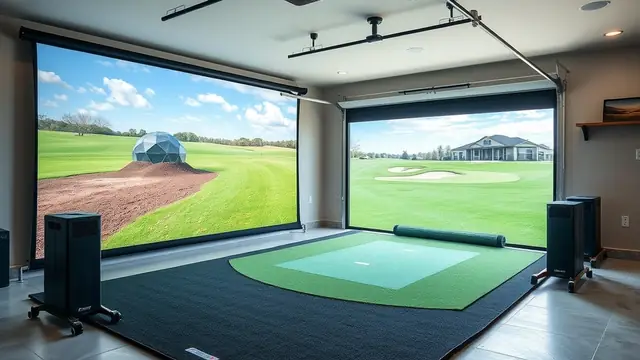
What a home golf simulator costs in 2026
A real budget breakdown for 2026: $3,000–$7,000, $8,000–$15,000, and $18,000–$40,000+ builds, with line-item ranges and where the money actually goes.
Read the guide →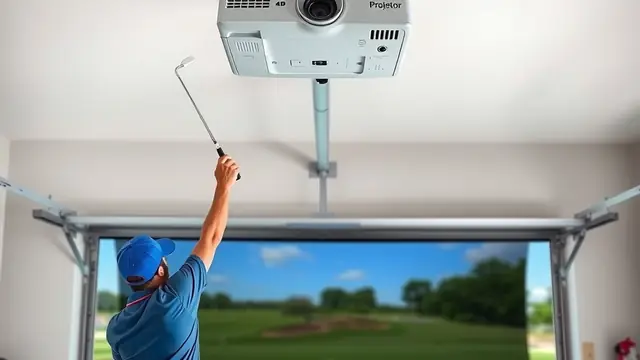
Golf simulator installation cost
What pro installers charge for a home golf simulator: electrical, mounting, screen assembly, calibration, and PC setup, with DIY trade-offs.
Read the guide →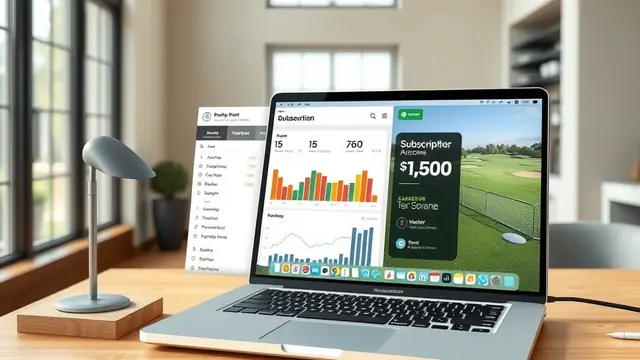
Simulator subscription costs, added up
Software, monitor plans, and course packs over three years: what the recurring bills really add to a home golf simulator.
Read the guide →