Best launch monitors for a home bay
Five launch monitors that fit a real home bay, from the $500 Garmin R10 to a ceiling-mounted camera, sorted by room depth and budget.
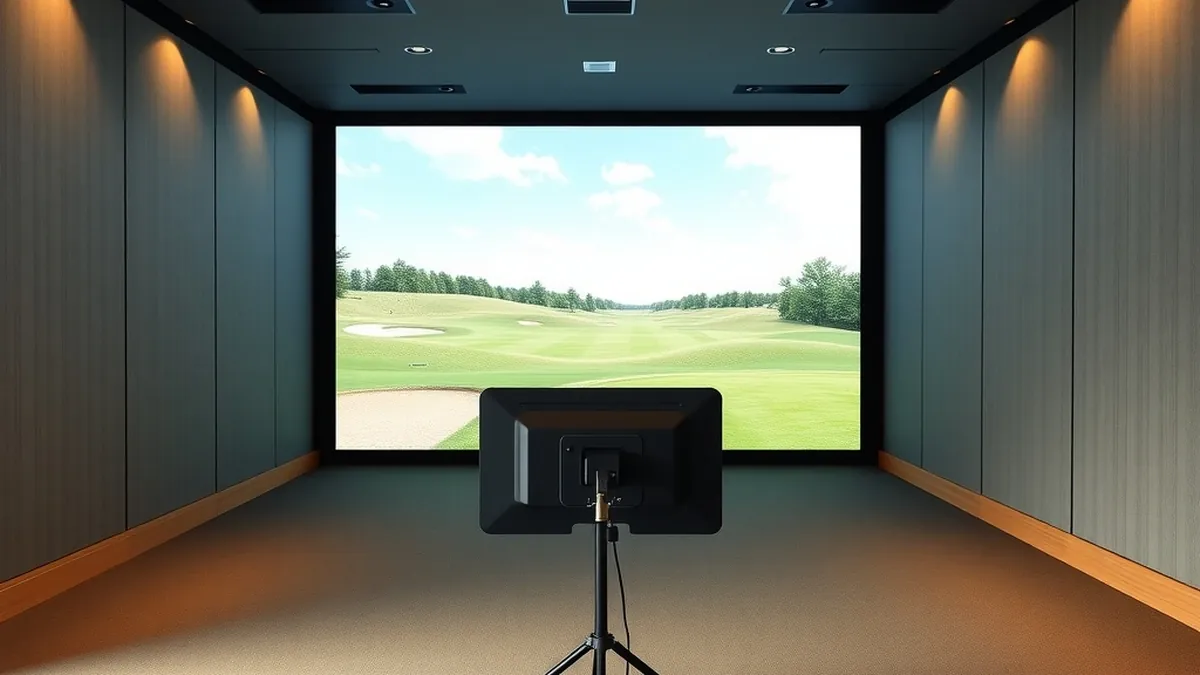
For most home bays the Garmin Approach R10 is the lowest-cost pick and the SkyTrak+ is the best mid-price camera unit. Buy photometric if your room is shallow, radar if you have 16 feet of depth, and count the subscription before you compare sticker prices.
- Best budget
- Garmin Approach R10, from $499.99
- Best mid-price
- SkyTrak+, from $2,995
- Best for a shallow room
- Uneekor EYE XO, from $6,499
- Minimum useful depth
- 8 ft ball to screen for photometric
Some links on this page are affiliate links.If you buy through them we may earn a commission at no extra cost to you. We do not accept payment for rankings. Read the full disclosure.
| Monitor | Starting price | |
|---|---|---|
| Garmin Approach R10 | Radar, 14 metrics, portable | from $499.99 |
| SkyTrak+ | Camera ball tracking, radar club data | from $2,995 |
| Bushnell Launch Pro | Three-camera photometric, indoor and outdoor | from $2,999.99 |
| Foresight GC3 | Three-camera photometric, full club data | from $3,999 |
| Uneekor EYE XO | Overhead dual-camera, no ball flight needed | from $6,499 |
A home bay usually runs out of depth before it runs out of budget. The monitor that fits your room and your practice habits will beat a more expensive unit that needs space you do not have.
A launch monitor is the sensor that measures the club and ball at impact, then sends speed, launch, spin, and path data to a simulator or practice app. The measurement method sets the room requirements; the price sets the software you can reach.
What a launch monitor measures
Every unit reports ball data: ball speed, launch angle, spin rate, spin axis, carry, and total distance. Better units add club data: clubhead speed, smash factor, club path, face angle, and attack angle.
Two sensor families do this work. Radar tracks the club and ball through flight with Doppler. Photometric cameras photograph the ball in the first inches after impact. The choice affects depth, lighting, and price more than any single number on a spec sheet. I compare the two in photometric vs radar.
Data-point counts are marketing as much as engineering. A unit that reports 20 numbers may calculate half of them from the same three measurements. Ask which metrics are measured, which are derived, and which require a subscription.
Seven criteria that decide an indoor purchase
- Measurement type. Radar or camera. This is the root of every other constraint.
- Depth in front of the ball. Camera units need roughly 8 ft to the screen; radar wants 8 to 10 ft of flight or more.
- Depth behind the ball. Radar units sit 6 to 8 ft back. Camera units sit beside the ball and need 3 to 4 ft for the player.
- Mounting and portability. Floor units move between garage and range. Overhead units need a 10 ft ceiling and a solid mount.
- Subscription. Course play and third-party software usually require an annual plan. Add it to year one.
- Data you will use. Club path and face angle are worth more for practice than a longer list of derived numbers.
- Indoor accuracy. A camera measures the launch directly. A radar unit models part of the flight when the room cuts it short.
Budget pick: Garmin Approach R10
The R10 is one of the least expensive ways into radar tracking at $499.99. Garmin lists 14 metrics, including ball speed, launch angle, spin, club path, and face angle, and the unit runs on battery for range sessions.
Its weakness is the room. Radar needs flight, and a 9 ft ball-to-screen distance gives it very little. Carry and spin indoors are increasingly calculated rather than watched, which is why owner reports are mixed on short-flight accuracy. If your bay is 16 ft deep, the R10 is a sensible first purchase. If it is 9 ft deep, spend the money on a camera.
Mid-price: SkyTrak+ and Bushnell Launch Pro
The SkyTrak+ lists at $2,995 and blends a photometric camera for ball tracking with radar for club data. It sits beside the ball, uses any standard ball, and has a small 2 by 2 in hitting zone that rewards a consistent mat position. Membership runs from $99.99 to $599.99 per year depending on course access.
The Bushnell Launch Pro lists at $2,999.99 and uses three cameras with infrared. Bushnell publishes full ball and club data, and the unit is rated for indoor and outdoor use. Foresight+ plans start at $199 per year, with course passes sold separately. Both units want a PC for serious simulation, so budget for that before you compare them with a radar unit that runs from a phone.
Upper mid: Foresight GC3
The GC3 carries a $6,999 list price but Foresight often advertises it from $3,999. It uses a triscopic camera system, measures ball and club data, and ships with a two-year warranty, club markers, and a sling bag.
This is the pick for someone who wants one device for the home bay and the driving range. It is heavier than the SkyTrak+ and costs more than the Bushnell, but the camera array and software ecosystem are the reason to stretch. Check the current promotion before you assume the list price is the street price.
Premium: Uneekor EYE XO
The EYE XO is a ceiling-mounted overhead unit at $6,499 for the AI Studio bundle. Two high-speed cameras look down at a 16 by 12 in hitting zone and publish 24 ball and club data points. Because it reads the ball at impact, it does not need 8 ft of flight to produce a number.
That makes it the answer for a room that is wide but shallow. The trade-offs are installation and ecosystem: a 10 ft ceiling, a solid mount, a gaming PC, and an Ultimate plan for the fullest software access. It is not a device you move to the range.
Fit the monitor to your depth
Measure from the ball position to the screen, then measure behind the ball to the wall. The smaller number decides the category.
| Ball to screen | Behind the ball | What fits |
|---|---|---|
| Under 8 ft | 3 to 4 ft | Overhead camera, such as the EYE XO |
| 8 to 10 ft | 3 to 4 ft | SkyTrak+, Bushnell Launch Pro, GC3 |
| 10 to 14 ft | 6 to 8 ft | Photometric units or a premium radar |
| 16 ft and up | 6 to 8 ft | Radar, including the Garmin R10 |
These are planning figures, not guarantees. Ceiling height, mat position, and your backswing decide the rest. The bay dimensions guide walks through the full envelope in golf simulator room dimensions.
The short version
Under $1,000, buy the Garmin R10 and accept that a deep room is part of the deal. At $3,000, choose the SkyTrak+ for a compact camera unit or the Bushnell Launch Pro for indoor and outdoor use. At $4,000 to $7,000, the GC3 is the portable all-rounder and the EYE XO is the fixed install for a shallow room.
Price the whole bay, not just the monitor. A PC, software, screen, and mat can add more than the unit itself; the golf simulator cost breakdown shows where the money goes. For the two most common entry points, the SkyTrak vs Garmin R10 comparison narrows the decision to one question: how much depth do you actually have?
Our top picks
- + Radar tracking with 14 metrics
- + Battery-powered and easy to move outdoors
- + Lowest entry price of the five
- − Needs 8 to 10 ft of ball flight for best results
- − Indoor spin and carry are increasingly modeled
- − Simulator features lean on the Garmin Golf app
- + Camera ball tracking plus radar club data
- + Compact footprint beside the ball
- + Works with any standard golf ball
- − Course play needs an annual membership
- − Four-hour battery
- − Small hitting zone rewards consistent setup
- + Three-camera photometric measurement
- + Full ball and club data
- + Foresight software ecosystem
- − Simulation needs a capable PC
- − Advanced features sit behind Foresight+ plans
- − Not as portable as a radar unit
- + Triscopic camera system
- + Indoor and outdoor rated
- + Two-year warranty and sling bag included
- − List price is higher than the sale price suggests
- − Club data needs club markers
- − Software plans add annual cost
- + Overhead mount needs no ball flight
- + 24 ball and club data points
- + Large 16 by 12 in hitting zone
- − Permanent ceiling installation
- − Requires a gaming PC and display
- − Best features need an Ultimate plan
Frequently asked questions
What is the minimum room depth for a launch monitor?
Plan on at least 8 ft from the ball to the screen for a camera-based unit, plus 3 to 4 ft behind the ball for the unit and your backswing. Radar units want 8 to 10 ft of flight and 6 to 8 ft behind the ball, so they need a deeper room.
Is a radar or photometric launch monitor better indoors?
Photometric cameras generally hold up better in a short indoor flight because they measure the ball directly in the first few inches after impact. Radar still works indoors, but the shorter the flight, the more carry and spin depend on the unit's model rather than the measured trajectory.
Do I need a subscription to use a launch monitor?
Most units work without one for basic range data. Course play, cloud history, video, and third-party simulator integration usually sit behind an annual plan, so add $100 to $600 per year to the purchase price before you decide.
Can I use a launch monitor in a garage with a low ceiling?
Yes, if the unit does not need height. Camera units that sit on the floor beside the ball are the usual choice for garages, while overhead units need roughly 10 ft to the ceiling and a solid mounting point.
How much space do I need behind the ball for a radar monitor?
Garmin and other radar makers typically ask for 6 to 8 ft between the unit and the ball. You also need room for your backswing, so the total bay depth is the ball-to-screen distance plus that rear clearance.
Should I buy a used launch monitor?
It can work, but check that the unit is not locked to a previous owner's account, that the subscription transfers, and that the manufacturer still services it. A used unit with no warranty can erase the savings if a camera or radar module fails.
Sources
Some links are affiliate links.If you buy through them we may earn a commission at no extra cost to you. We do not accept payment for rankings. Read the full disclosure.