Golf simulator projector: lumens, throw, lag
How many lumens a 10 to 12 ft screen needs, which throw ratio fits your bay, and why input lag and lamp type matter more than resolution.
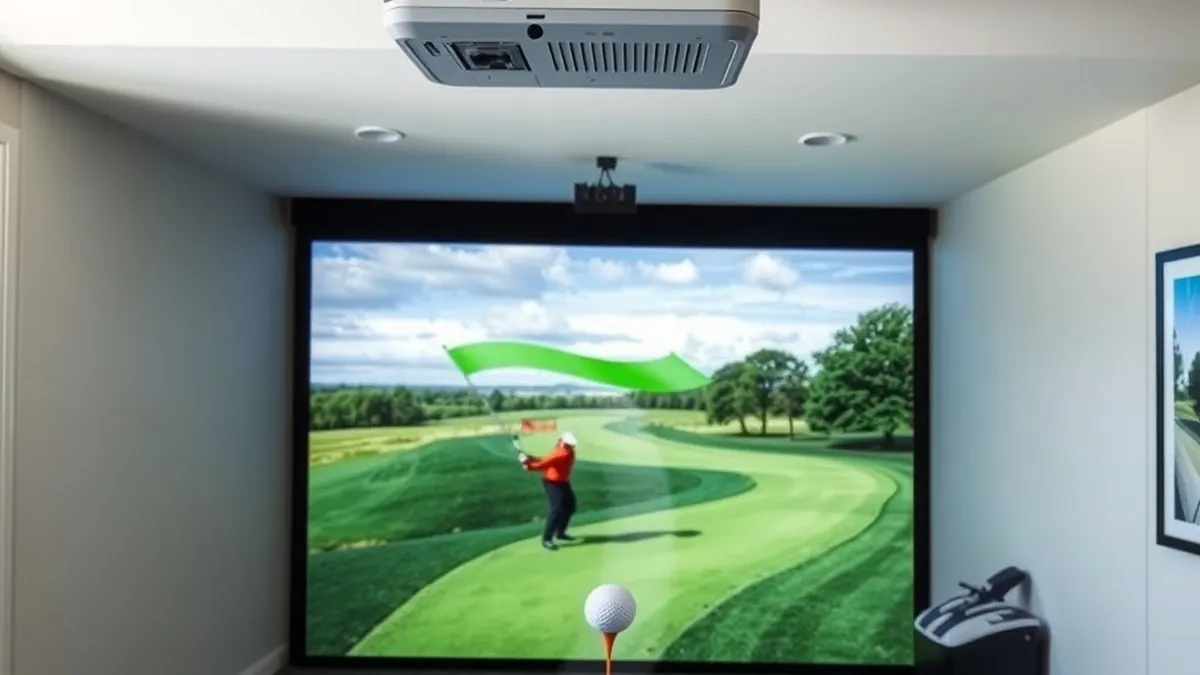
A 10 to 12 ft golf screen needs 3,000 to 5,000 lumens in controlled light. Match the throw ratio to the distance between the lens and the screen, choose a laser projector if it runs weekly, and keep input lag under 33 ms in game mode.
- Lumens for 10 to 12 ft
- 3,000 to 5,000
- Throw ratio formula
- Distance divided by screen width
- Input lag target
- Under 33 ms, ideally under 16 ms
- Laser life
- About 20,000 hours
Some links on this page are affiliate links.If you buy through them we may earn a commission at no extra cost to you. We do not accept payment for rankings. Read the full disclosure.
| 1080p lamp | 4K laser | |
|---|---|---|
| Typical price | $700 to $1,500 | $2,500 to $6,000 |
| Brightness | 3,000 to 4,000 lumens | 3,000 to 5,000 lumens |
| Resolution | 1920 by 1080 | 3840 by 2160 |
| Light source life | 3,000 to 5,000 hours | About 20,000 hours |
| Best for | A first bay on a budget | A room used several times a week |
A golf simulator projector has one job: put a bright, sharp image on a screen that is also taking 150 mph golf balls. Brightness and throw distance decide whether it works; resolution and features decide how much you enjoy it.
Throw ratio is the relationship between the distance from the lens to the screen and the width of the image. It is the number that tells you whether a projector will fit your bay before you buy it.
The short answer
For a 10 to 12 ft wide screen in a room with controlled light, buy 3,000 to 5,000 lumens. Match the throw ratio to your mounting distance, not the other way around. Spend the extra money on brightness and a laser light source before you spend it on 4K.
If the room has windows, white walls, or lights that wash the screen, move up one step in the table below. A dim image is the most common projector complaint in home bays, and it is almost always a brightness problem, not a resolution problem.
Lumens for a 10 to 12 ft screen
Screen size drives the lumen requirement because the same light spread over a larger area is dimmer. These ranges assume a dedicated room, a matte white screen, and lights that are off or dimmed during play.
| Screen width | 16:9 height | Lumens, controlled light |
|---|---|---|
| 8 ft | 4.5 ft | 2,500 to 3,000 |
| 10 ft | 5.6 ft | 3,000 to 3,500 |
| 12 ft | 6.8 ft | 3,500 to 4,500 |
| 14 ft | 7.9 ft | 4,500 to 5,500 |
| 16 ft | 9.0 ft | 5,500 to 7,000 |
These are planning estimates, not a manufacturer guarantee. Screen gain, projector lens quality, and the amount of ambient light can move the number by a full step in either direction. A 12 ft screen in a bright garage may need 5,000 lumens to look as good as a 3,500-lumen image in a dark room.
Lumen ratings also vary by measurement method. ANSI and ISO lumens are not interchangeable, and lens quality affects how much of the rated light reaches the screen. Use the rating to compare within a class, then check the throw ratio and the actual screen size.
Throw ratio: where the projector sits
Throw ratio is throw distance divided by screen width. A projector 10 ft from a 12 ft wide screen has a ratio of 0.83. A projector 16 ft from the same screen has a ratio of 1.33.
Most home bays need a short throw projector, roughly 0.4 to 1.0, because the projector has to sit inside the room and behind the golfer. Standard throw projectors, usually 1.2 to 1.5, need 14 to 18 ft for a 12 ft image, which is more depth than most garages have.
Measure from the lens, not the back of the projector. Then check the manufacturer’s throw ratio for the exact lens and zoom position; the specification is usually given as a range, and the wide end is the one that fits a tight room.
1080p or 4K
A 1080p projector puts 1920 by 1080 pixels on the screen. A 4K projector puts 3840 by 2160. On a 12 ft screen viewed from 10 ft, 1080p is sharp enough for course play; 4K is visibly better on text, scorecards, and the ball itself.
The catch is cost. A 4K laser projector often costs two to four times a 1080p lamp model, and the extra resolution does not fix a dim image or a screen with a visible seam. If the budget is fixed, buy brightness first, then resolution.
Input lag and frame rate
Input lag is the delay between the simulator rendering a frame and the projector showing it. For golf, the relevant moment is the ball flight and the replay, not a fast-twitch shooter, but lag still affects putting and the rhythm of practice.
Look for a game mode under 33 ms, which is one frame at 30 fps. Under 16 ms is better if the simulator runs at 60 fps. Turn off motion smoothing and other image processing in game mode; they add delay and can make the ball look unnatural.
Lamp or laser
A lamp projector uses a replaceable bulb rated for roughly 3,000 to 5,000 hours. It costs less to buy, but the lamp dims with age and replacement adds $200 to $400 over the life of the projector.
A laser projector uses a solid-state light source rated for about 20,000 hours. It holds its brightness longer, turns on and off instantly, and does not need a lamp replacement. It costs more up front, which is why it makes sense for a bay used several times a week and less sense for an occasional setup.
Mounting and ambient light
Mount the projector above and behind the ball line, out of the swing path and above head height. Use a ceiling mount anchored to a joist or a proper blocking plate, and leave room for lens shift so the image can be aimed without heavy keystone correction.
Light control matters as much as lumens. Turn off lights that shine directly on the screen, use dimmers, and keep bright walls out of the projector’s path. The lighting guide covers color temperature and glare; the short version is that a dark room makes a 3,500-lumen projector look better than a bright room makes a 5,000-lumen one look.
Have a licensed electrician install the outlet and any ceiling wiring. A projector mount is not a place to improvise with an extension cord.
The short version
Buy for the screen you are actually building. A 10 ft screen needs about 3,000 to 3,500 lumens, a 12 ft screen needs 3,500 to 4,500, and a 14 ft screen needs 4,500 to 5,500. Check the throw ratio against your lens distance before anything else.
Then match the projector to the screen material in the golf simulator screen guide and confirm the room can take the mounting depth in the bay dimensions guide. A projector that fits the room beats a brighter one that does not.
Frequently asked questions
How many lumens do I need for a 12 ft golf screen?
Plan on 3,500 to 4,500 lumens for a 12 ft wide screen in a room with controlled light. If daylight reaches the screen or the room has white walls, aim for the top of that range or add a higher-gain screen.
What throw ratio do I need for a golf simulator?
Divide the distance from the lens to the screen by the screen width. A 12 ft screen with the projector 10 ft away needs a throw ratio near 0.83, which is short throw. A standard 1.2 to 1.5 ratio projector would need 14 to 18 ft of room.
Is 1080p enough for a golf simulator?
At a 10 to 12 ft viewing distance, 1080p is adequate and leaves more budget for brightness. A 4K projector sharpens text and ball detail, but the screen material and room light affect perceived sharpness as much as resolution.
Does input lag matter for golf simulation?
It matters more for putting and for the feel of the swing replay than for a full shot. Look for a game mode under 33 ms, which is one frame at 30 fps, and prefer under 16 ms if the simulator runs at 60 fps.
Should I buy a lamp or laser projector?
A lamp projector costs less up front but needs a new lamp every 3,000 to 5,000 hours. A laser projector costs more and runs about 20,000 hours with less dimming, which is the better long-term choice for a bay used several times a week.
Can I mount the projector above the golfer?
Yes, if the mount is solid, out of the swing path, and the lens has enough shift to aim at the screen without heavy keystone correction. Keep the projector behind the ball line and above head height, and have a licensed electrician add the outlet.
Sources
Some links are affiliate links.If you buy through them we may earn a commission at no extra cost to you. We do not accept payment for rankings. Read the full disclosure.