What a home golf simulator costs in 2026
A real budget breakdown for 2026: $3,000–$7,000, $8,000–$15,000, and $18,000–$40,000+ builds, with line-item ranges and where the money actually goes.
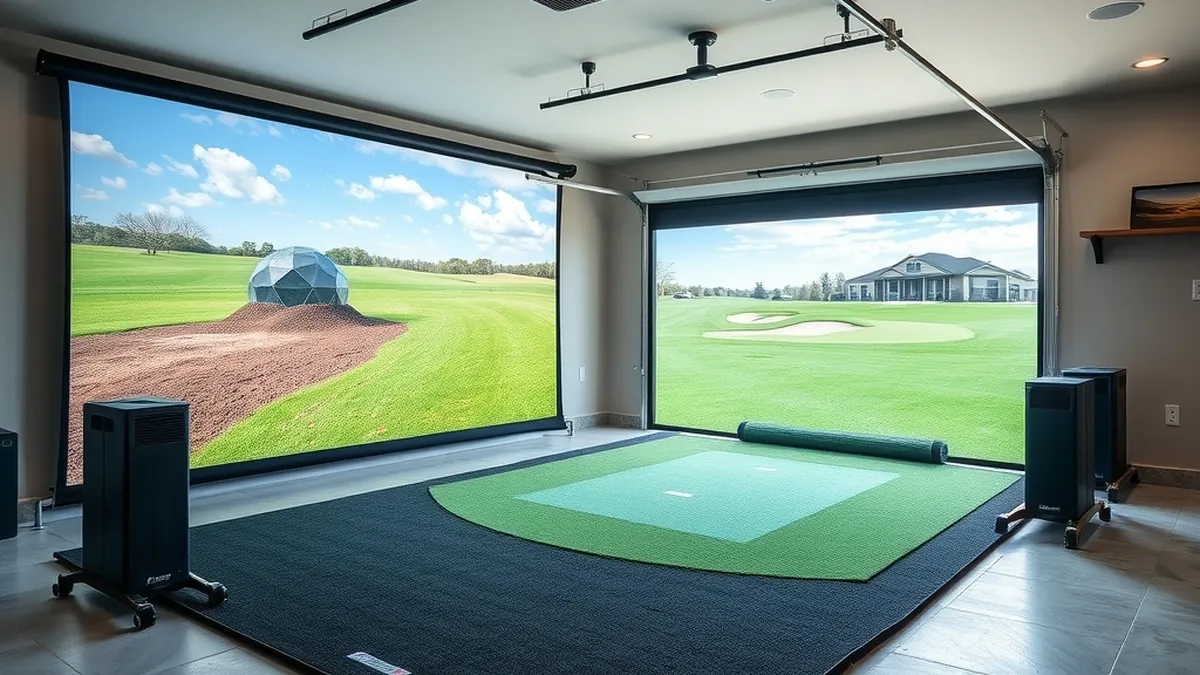
A usable home simulator costs about $3,000 to $7,000 in 2026. A mid-tier build with a camera monitor and framed enclosure runs $8,000 to $15,000, and a premium installed room with an overhead monitor passes $40,000. The launch monitor is the single largest line item.
- Budget build
- $3,000–$7,000, entry monitor and net
- Mid build
- $8,000–$15,000, camera monitor and enclosure
- Premium build
- $18,000–$40,000+, overhead monitor and room
- Largest line item
- Launch monitor, 25–60% of the build
- Recurring cost
- $100–$500 a year in software
Some links on this page are affiliate links.If you buy through them we may earn a commission at no extra cost to you. We do not accept payment for rankings. Read the full disclosure.
A home simulator costs between about $3,000 and $40,000 in 2026, and the difference is concentrated in three line items: the launch monitor, the projector, and the room. A budget build buys an entry monitor, a 1080p projector, a net, and a mat. A premium build buys an overhead or tour-level camera monitor, a 4K projector, a framed enclosure, and professional installation.
Installed cost is everything between an empty room and a ball flying into a screen: monitor, projector, screen, mat, computer, software, electrical, and labor. The ranges below are planning bands built from manufacturer MSRPs, published retailer pricing, and typical trade rates. Treat them as budgets, not quotes.
The three tiers
| Tier | Total | Monitor class | Display | Room |
|---|---|---|---|---|
| Budget | $3,000–$7,000 | Entry radar or basic camera | 1080p projector, net or soft screen | Existing space, DIY |
| Mid | $8,000–$15,000 | Camera monitor with club data | 3,000–4,000 lumen projector, framed enclosure | Minor electrical, DIY install |
| Premium | $18,000–$40,000+ | Overhead or tour-level camera | 4K laser projector, built enclosure | Dedicated room, electrical, install |
The budget tier is a practice setup that happens to project. The mid tier is the first one that feels like a room, with a framed screen that does not ripple and a monitor that reports club path and face angle. The premium tier is a construction project with a simulator in it, and the “+” is real: room build-out alone can add $10,000.
Where the money actually goes
The launch monitor is 25 to 60 percent of the build. In a $3,000 setup it is a $1,000 to $1,500 unit. In a $35,000 room it can be a $20,000 overhead unit. Nothing else in the list scales that hard.
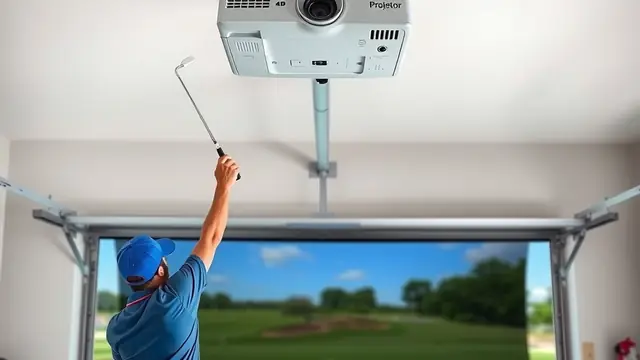
The projector is second, and it is the item most often underspent. A 3,000 to 5,000 lumen projector is the working range for a 10 to 12 ft screen in controlled light. A 2,500 lumen unit in a garage with the door open is a washed-out image, and no monitor upgrade fixes it.
The screen and enclosure are third. A net is $200 to $500. A framed enclosure with a tensioned impact screen is $1,500 to $4,000, and a built-in wall is more. The mat is fourth: a 4 by 5 ft stance mat is a few hundred dollars, a full 5 by 10 ft mat with a fiberbuilt or gel section is $1,500 and up.
Line items, one by one
| Line item | Budget | Mid | Premium |
|---|---|---|---|
| Launch monitor | $800–$2,000 | $2,500–$4,500 | $10,000–$25,000 |
| Projector | $400–$900 | $900–$1,800 | $2,500–$5,000 |
| Screen and enclosure | $300–$1,000 | $1,500–$3,500 | $4,000–$9,000 |
| Mat | $300–$700 | $600–$1,200 | $1,500–$3,000 |
| Computer or tablet | $0–$700 | $600–$1,500 | $1,500–$3,000 |
| Software, first year | $0–$400 | $300–$700 | $500–$1,500 |
| Electrical | $0–$500 | $400–$1,000 | $1,500–$3,000 |
| Installation and labor | $0 | $500–$1,500 | $2,000–$6,000 |
The rows are component ranges, not a bill of materials. A $3,000 build is roughly a $1,000 monitor, a $500 projector, a $300 net, a $400 mat, $200 in cables and a mount, and $400 of software, which leaves about $200 for tax and freight. That is a real setup, and it is the floor for something you will keep using.
A $10,700 build is typically a $3,000 camera monitor, a $1,200 projector, a $2,500 framed enclosure, a $900 mat, a $1,200 computer, $500 of software, $600 of electrical, and $800 of install labor. Move the monitor to $4,500 and the enclosure to $3,500 and you are at about $13,200 without changing anything else.
What pushes a mid-tier build to $15,000
Three things. The first is club data: a monitor that reports face angle, path, and strike location costs more than one that reports ball flight only. The second is a permanent enclosure with a built frame, blackout sides, and a tensioned screen, which is a carpentry project as much as a purchase. The third is the room itself: a dedicated circuit, a projector mount in a finished ceiling, and a floor covering add up faster than the hardware list suggests.
The premium tier is dominated by the monitor and the room. A $20,000 overhead unit, a $4,000 projector, a $7,000 enclosure, and $5,000 of installation is $36,000 before the room is finished. Add framing, insulation, drywall, flooring, and HVAC and the total passes $50,000. That is why the tier says $40,000+.
What to skip
Skip 4K if the projector is under 3,000 lumens. Brightness matters more than resolution in a room with any daylight, and a bright 1080p image reads better than a dim 4K one.
Skip the retractable enclosure in a dedicated room. It costs more than a fixed frame and adds a mechanism that can jam.
Skip an overhead monitor if the clear ceiling at the ball is under 9 ft. It will not mount within specification, and a side or rear camera unit will do the same job.
Skip the software bundle in year one. One subscription with a course library you will actually play is enough; a second title is a $200 to $500 experiment you can defer.
Skip professional installation for a net-based build. It is a ladder, a drill, and an afternoon. Spend the money on the mat instead, because the mat is the part your body feels every session.
The costs that recur
Software runs $100 to $500 a year. An impact screen lasts three to five years under regular use and costs $300 to $1,500 to replace. A mat wears at the stance area and may need a replacement section. Balls are a consumable if you use a net rather than a screen.
Electricity is smaller than people expect. A projector and a computer draw roughly 700 W together, so an hour of practice costs about 12 cents at 17 cents per kWh. A 240 V heater in a garage is the line item that moves the monthly bill, not the simulator.
DIY versus installed
The hardware is DIY-friendly. A net, a mat, a projector on a shelf, and a monitor on a tripod can be running in an afternoon. The parts that are not DIY are the ones that touch the building: a new circuit, a ceiling mount in a finished room, a garage door track change, and any structural work.
The installation cost guide breaks out labor by task. As a rule, put your money into the monitor and the mat, keep the first enclosure simple, and upgrade the room after you have used the bay for a season. The launch monitor guide is the place to start on the hardware side, and the room dimensions guide tells you what will fit before you spend anything.
The short version
Three tiers: $3,000 to $7,000 for a net-based practice bay, $8,000 to $15,000 for a camera monitor and framed enclosure, and $18,000 to $40,000+ for an overhead monitor in a finished room. The monitor is the biggest line item, the projector is the most commonly underspent, and the room is the one that surprises people. Budget the software subscription and the screen replacement, and spend the savings on the mat.
Frequently asked questions
How much does a home golf simulator cost in 2026?
About $3,000 to $7,000 for a budget build with an entry radar or camera monitor, a 1080p projector, and a net. A mid-tier build with a better monitor and a framed enclosure runs $8,000 to $15,000, and a premium installed room runs $18,000 to $40,000 or more.
What is the cheapest part of a simulator to get wrong?
The projector. Buying too few lumens for a lit garage produces a washed-out image that no amount of monitor accuracy fixes. Throw distance and screen size also have to match the lens, and a projector bought before the screen is sized usually ends up returned.
Do I need a gaming PC for a golf simulator?
Not always. Several monitors run on an iPad or phone with a subscription, and a gaming console can run a golf game, though usually without launch monitor data. A dedicated PC becomes necessary when you want 4K output, multiple courses, or a monitor that streams raw data to third-party software.
How much does installation cost?
For a net-and-mat build, nothing beyond your own time. For a framed enclosure, screen, projector mount, and electrical, budget $500 to $2,000 on a mid build and $2,000 to $6,000 on a premium one, plus room construction if the space needs it.
What does simulator software cost per year?
Roughly $100 to $500 a year for a subscription, depending on the platform and course library. Some monitors include a basic driving range at no cost, and some software is a one-time purchase. Budget the subscription as a recurring cost rather than part of the hardware.
Can I build a simulator for under $3,000?
Yes, if you already own a laptop or tablet, use a net instead of an enclosure, and choose an entry radar monitor. The floor is roughly $2,400 in parts plus tax and freight. Below that, you are buying a launch monitor and a mat, not a simulator.
Sources
Some links are affiliate links.If you buy through them we may earn a commission at no extra cost to you. We do not accept payment for rankings. Read the full disclosure.