Best golf simulator under $5,000
Four complete builds under $5,000, with real line-item costs for the monitor, enclosure, projector, mat, and PC, plus where to cut and where not to.
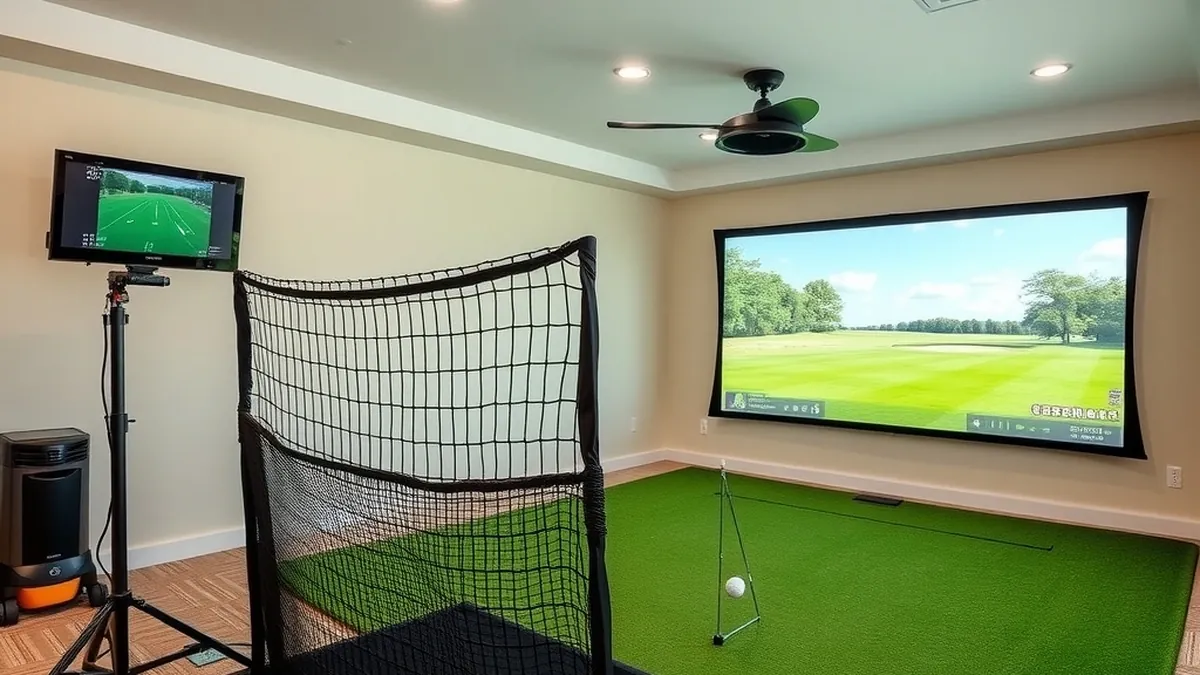
At $5,000 you can buy a complete bay, not just a monitor. The two strongest paths are a Garmin R10 SwingBay from $3,998.99 plus a PC, or a SkyTrak ST MAX Studio from $4,195 plus a PC. Both land near $4,900 before tax.
- Cheapest usable build
- Garmin R10 net bay, about $1,500
- Best turnkey enclosure
- Garmin R10 SwingBay, about $4,800 with PC
- Best camera value
- SkyTrak+ closeout, about $4,800 with PC
- Best compact studio
- SkyTrak ST MAX Studio, about $4,900 with PC
Some links on this page are affiliate links.If you buy through them we may earn a commission at no extra cost to you. We do not accept payment for rankings. Read the full disclosure.
Five thousand dollars is enough for a complete simulator if you stop shopping monitors and start pricing systems. The monitor is one line item; the room around it is the rest.
A budget simulator is a monitor, a ball-stop, a mat, a display, and a computer. The order you buy them matters less than the room measurements, because depth decides whether a radar or camera unit can work at all.
What $5,000 actually covers
A realistic split looks like this:
| Category | Budget range | Share |
|---|---|---|
| Launch monitor | $500–$2,000 | 10–40% |
| Enclosure, screen, frame | $800–$1,500 | 16–30% |
| Projector and mount | $600–$900 | 12–18% |
| Hitting mat | $300–$500 | 6–10% |
| PC or tablet | $0–$1,000 | 0–20% |
| Software, year one | $0–$300 | 0–6% |
The low end of every row produces a usable bay. The high end produces a room that feels finished. The mistake is spending the monitor budget first and discovering that the room cannot fit the unit you chose. Measure depth and ceiling before you compare prices; the room dimensions guide covers the envelope.
The four builds at a glance
| Build | Monitor | Depth needed | Total |
|---|---|---|---|
| R10 net bay | Garmin R10 | 14 ft | about $1,500 |
| R10 SwingBay | Garmin R10 | 15 ft | about $4,800 |
| SkyTrak+ closeout | SkyTrak+ | 11 ft | about $4,800 |
| ST MAX Studio | SkyTrak ST MAX | 12 ft | about $4,900 |
All four assume you already own a phone or tablet. The three builds that include a PC assume a $700 Windows machine.
Build 1: the R10 net bay, about $1,500
This is the least expensive build that still produces useful data. It is a practice bay, not a room-sized simulator, and that is the point.
| Item | Cost |
|---|---|
| Garmin Approach R10 | $499.99 |
| 7 × 7 ft practice net | $250 |
| 5 × 5 ft hitting mat | $350 |
| GSPro, first year (optional) | $250 |
| Tablet or phone | owned |
| Total | $1,099.99–$1,349.99 |
The R10 sits 6 to 8 ft behind the ball and needs about 8 ft of flight, so the full depth is roughly 14 ft. A net does not need a projector, which keeps the cost down. Add a TV later if you want to see the range session on a larger screen.
Build 2: the R10 SwingBay, about $4,800
Rain or Shine sells the R10 SwingBay as a single order: enclosure, impact screen, frame, blackout curtain, SwingTurf mat, short-throw projector, ceiling mount, 25 ft HDMI cable, and the R10. The package starts at $3,998.99 and includes a first-year GSPro license at the time of writing.
| Item | Cost |
|---|---|
| R10 SwingBay package | $3,998.99 |
| Windows gaming PC | $700 |
| Garmin Golf membership, year one | $99.99 |
| Total | $4,798.98 |
The room requirement is the catch. The enclosure footprint is 11 ft wide by 15 ft deep by 8.1 ft high, and the R10 needs its 6 to 8 ft behind the ball. If your garage door tracks sit at 7 ft 6 in, the enclosure fits but your driver may not. The 9 × 12 ft enclosure adds $500 and pushes the package over $5,000 before the PC.
Build 3: the SkyTrak+ closeout, about $4,800
SkyTrak has discontinued the ST+ in favor of the ST MAX, and remaining units are listed at $1,995 rather than the original $2,995. That makes it the best camera value under $5,000 while stock lasts.
| Item | Cost |
|---|---|
| SkyTrak+ launch monitor | $1,995 |
| 10 ft DIY enclosure and impact screen | $900 |
| Short-throw projector | $800 |
| 5 × 5 ft hitting mat | $350 |
| Windows gaming PC | $700 |
| Essential membership, year one | $99.99 |
| Total | $4,844.99 |
The camera sits beside the ball, so the room needs about 8 ft from ball to screen and 3 to 4 ft behind the player. That is roughly 11 ft of depth, several feet less than either R10 build. The trade-off is that you assemble the enclosure and choose the projector yourself.
Build 4: the ST MAX Studio, about $4,900
The ST MAX Studio is the cleanest complete package in this price range. The 8 ft version includes the monitor, enclosure, screen, frame, 5 × 5 ft mat, and a floor-mounted short-throw projector for $4,195.
| Item | Cost |
|---|---|
| ST MAX Studio, 8 ft | $4,195 |
| Windows gaming PC | $700 |
| Core Foresight membership, year one | free with current promotion |
| Total | $4,895 |
The enclosure measures 8 ft wide by 7 ft 5 in high by 4 ft deep, which fits a spare room or a single garage bay. The monitor combines a camera for ball data with dual radar for club data, and SkyTrak publishes 21 data points without stickers. If the free membership promotion ends, add $299.99 and the build crosses $5,000.
Where to cut and where not to
Cut the projector first. A $600 1080p short-throw unit is dimmer and softer than a $2,000 laser, but it does not change the data or the safety of the bay. Cut the enclosure frame second: a DIY EMT frame and a good impact screen can save $700 without affecting ball flight.
Do not cut the mat, the screen, or the ceiling measurement. A thin mat is a repetitive-stress problem, not a preference. A cheap screen fails at the seams where the ball hits hardest. A ceiling that is 3 in short is not a budget problem; it is a rebuild.
The other line item buyers forget is software. Subscriptions typically add 15 to 25 percent to a three-year ownership total; the golf simulator cost breakdown shows where that lands. If you want GSPro, add $250 a year; if you want course play from the monitor’s own app, add $100 to $600.
The short version
Under $2,000, build the R10 net bay and accept that it is a practice station. At $4,800, choose the R10 SwingBay if you have 15 ft of depth, or the SkyTrak+ closeout if you have 11 ft and want camera accuracy. At $4,900, the ST MAX Studio is the best finished package, with a PC included in the total. Whichever you choose, read the launch monitor guide before you fix the monitor, and read the SkyTrak vs Garmin R10 comparison if you are still torn between the two sensor types.
Our top picks
- + Lowest entry price
- + Portable to the range
- + Works with GSPro and Awesome Golf
- − No enclosure or projector
- − Needs 14 ft of total depth
- − Spin rate is calculated
- + Enclosure, screen, projector, and mat included
- + Free first-year GSPro license
- + One compatible order
- − PC sold separately
- − 8.1 ft enclosure height
- − Metal garage doors can interfere with radar
- + Camera ball tracking plus radar club data
- + Compact beside-the-ball unit
- + No stickers required
- − Discontinued and limited to remaining stock
- − Course play needs a membership
- − Owner reports 2 to 3 hours of battery
- + Enclosure, screen, projector, and mat included
- + 8 ft wide studio footprint
- + Camera and dual-radar tracking
- − PC not included
- − Membership needed after the trial
- − 7 ft 5 in enclosure height
Frequently asked questions
Is $5,000 enough for a complete golf simulator?
Yes, if you choose a mid-price monitor and keep the enclosure simple. A Garmin R10 SwingBay or a SkyTrak ST MAX Studio both leave room for a $700 PC inside a $5,000 budget. The limit is depth: radar packages need about 15 ft of room, and camera packages need about 8 ft from ball to screen.
What costs the most after the launch monitor?
The enclosure, screen, and projector usually add $1,500 to $3,000. A gaming PC adds $700 to $1,000. The hitting mat is the item buyers most often regret cheaping out on, because a thin mat transmits impact into elbows and wrists.
Should I buy a SkyTrak+ now that it has been discontinued?
Only at a meaningful discount. SkyTrak lists the ST+ as no longer available and has replaced it with the ST MAX, so remaining stock is closeout inventory. At $1,995 it is a strong camera unit; at the old $2,995 list price, the newer ST MAX is the better buy.
Do I need a projector, or can I use a TV?
A TV works for a net setup and costs less, but it changes the feel of the bay. A projector and impact screen give you a full-size image and a safe ball-stop surface. If the budget is tight, buy the net and mat first, then add the screen and projector later.
Can I build a $5,000 simulator in a garage?
Yes, if the ceiling and door tracks clear your swing. Measure to the lowest obstruction, not the ceiling. A camera unit beside the ball avoids the radar depth requirement, and a floor-mounted projector avoids a ceiling mount. Keep the enclosure under the door tracks or park outside.
What should I not cheap out on?
The hitting mat, the screen, and the ceiling clearance. A poor mat is a repetitive-stress problem, a thin screen fails at the seams, and a bay that is 3 in too short is unusable. Save on the projector, the enclosure frame, and the PC case instead.
Sources
Some links are affiliate links.If you buy through them we may earn a commission at no extra cost to you. We do not accept payment for rankings. Read the full disclosure.